jixopn Sensitive Pencil for compatible with Microsoft Surfaceicrosoft Surface Pro 3 4 5 6 7 8 Universal Write Pen Notebook Bluetooth-Compatible

54,00 €
KOSTENLOSER Versand

jixopn Sensitive Pencil for compatible with Microsoft Surfaceicrosoft Surface Pro 3 4 5 6 7 8 Universal Write Pen Notebook Bluetooth-Compatible

  • Marke: Unbranded
Verkauft von:

jixopn Sensitive Pencil for compatible with Microsoft Surfaceicrosoft Surface Pro 3 4 5 6 7 8 Universal Write Pen Notebook Bluetooth-Compatible

  • Marke: Unbranded

54,00 €

Bespaar 30,00 € (35%)

UVP

84,00 €
Auf Lager
KOSTENLOSER Versand

14-Tage-Rückgabepolitik

Verkauft von:

54,00 €

Bespaar 30,00 € (35%)

UVP

84,00 €
Auf Lager
KOSTENLOSER Versand

14-Tage-Rückgabepolitik

Zahlungsmethoden:

Beschreibung

jixopn Sensitive Pencil for compatible with Microsoft Surfaceicrosoft Surface Pro 3 4 5 6 7 8 Universal Write Pen Notebook Bluetooth-Compatible

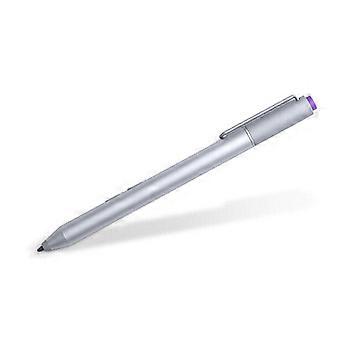
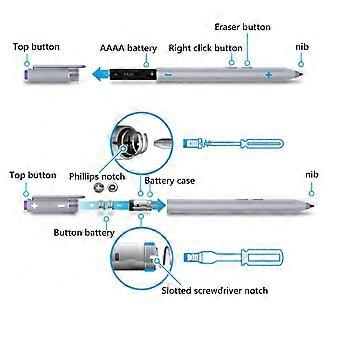
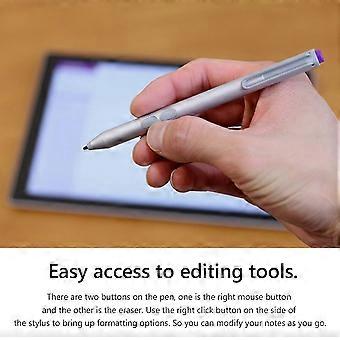
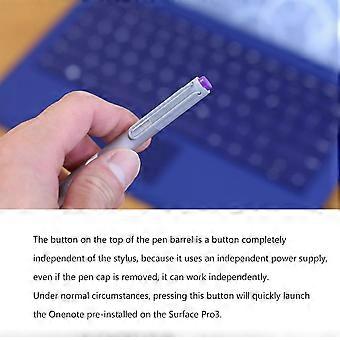
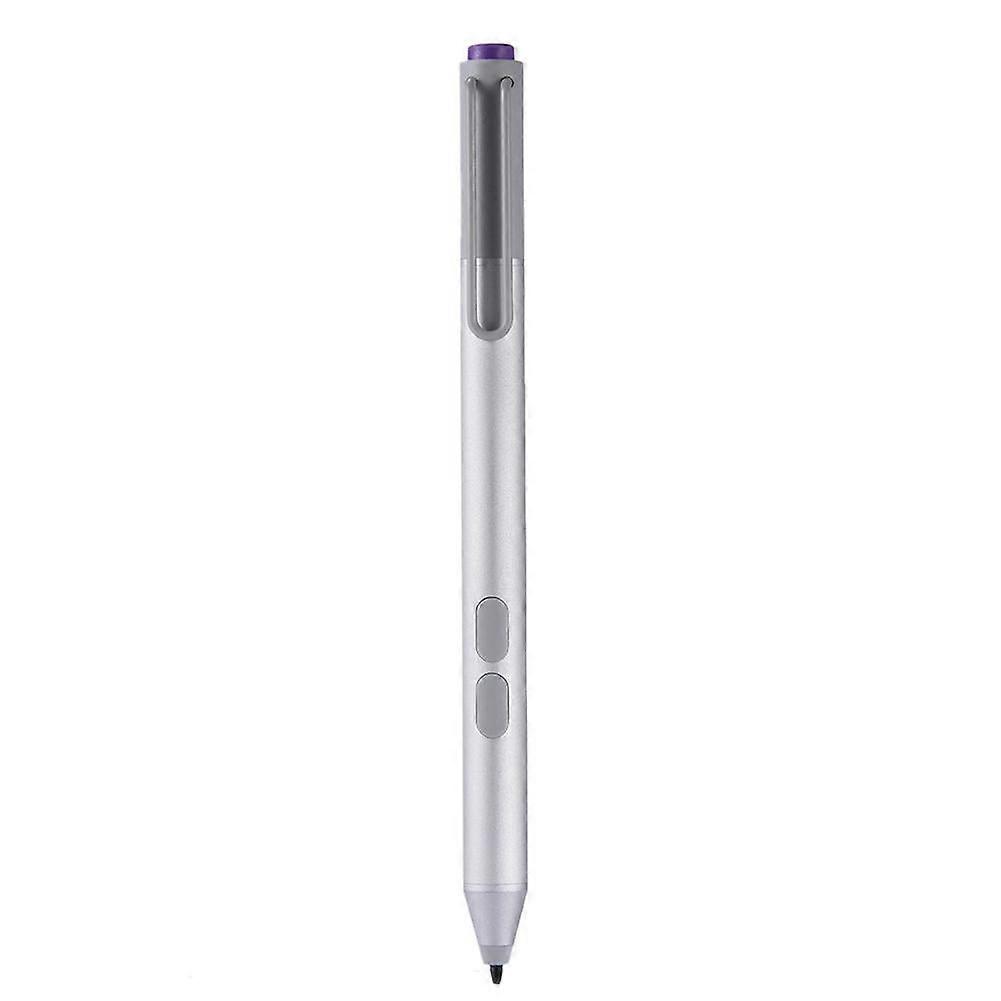
Sensitive Stylus Pencil for compatible with Microsoft Surfaceicrosoft Surface Pro 3 4 5 6 7 8 Laptop Write Pen Notebook Bluetooth-Compatible with Screenshot Paint Accessory Feature: Bluetooth-compatible connection. There is no need to worry about the connection problem, once set, you can automatically connect to the tablet through Bluetooth-compatible. 4096 pressure sensing. For Surface Pen supports a maximum pressure sensing level of 4096 with 4096 pressure points, providing you with a unique drawing experience and instant response to accurately copy text without delay. Easy access to editing tools. There are two buttons on the pen, one is the right mouse button and the other is the eraser. Use the right click button on the side of the stylus to bring up formatting options. So you can modify your notes as you go. Long press the pen cap to pair, double click to cut the picture. Hold down and hold down for 10 seconds. When the yellow indicator blinks, tap match in system setting-Bluetooth-compatible Device. Click the purple button to call out onenote. Double-click the button to call out Onenote Humanized button, convenient productivity. The upper part is the right button, which can realize the right mouse button function; The lower part is eraser delete button, which can realize eraser and delete function in supported software Specification: Color: Silver Material: aluminum case Pressure sensing: 4096 grade pressure sensing Connectivity: Bluetooth-compatible 4.0 Button: Right click and clear Battery: 2 button batteries; 1 AAAA battery Function: Support bluetooth-compatible connection and screen capture with eraser deletion function Size: Diameter: 9.5mm/0.37in; Length: 135 mm/5.3in + / - 1 mm Weight: 20 g Applicable model: For compatible with Microsoft Surfaceicrosoft Surface 3 For compatible with Microsoft Surfaceicrosoft Surface Pro 3 For compatible with Microsoft Surfaceicrosoft Surface Pro 4 For compatible with Microsoft Surfaceicrosoft Surface Pro 5 For compatible with Microsoft Surfaceicrosoft Surface Pro 6 For compatible with Microsoft Surfaceicrosoft Surface Pro 7 For compatible with Microsoft Surfaceicrosoft Surface Pro 8 For compatible with Microsoft Surfaceicrosoft Surface Pro X For compatible with Microsoft Surfaceicrosoft Surface Book1/2/3 For compatible with Microsoft Surfaceicrosoft Surface Laptop1/2/3/4 For compatible with Microsoft Surfaceicrosoft Surface Studio For compatible with Microsoft Surfaceicrosoft Surface Go1/Go2/Go3 Note: Due to the different monitor and light effect, the actual color of the item might be slightly different from the color showed on the pictures. Thank you! Please allow 1-2cm measuring deviation due to manual measurement. Included: 1 x Stylus Pencil Bluetooth-compatible connection. There is no need to worry about the connection problem, once set, you can automatically connect to the tablet through Bluetooth-compatible. 4096 pressure sensing. For Surface Pen supports a maximum pressure sensing level of 4096 with 4096 pressure points, providing you with a unique drawing experience and instant response to accurately copy text without delay. Easy access to editing tools. There are two buttons on the pen, one is the right mouse button and the other is the eraser. Use the right click button on the side of the stylus to bring up formatting options. So you can modify your notes as you go. Long press the pen cap to pair, double click to cut the picture. Hold down and hold down for 10 seconds. When the yellow indicator blinks, tap match in system setting-Bluetooth-compatible Device. Click the purple button to call out onenote. Double-click the button to call out Onenote Humanized button, convenient productivity. The upper part is the right button, which can realize the right mouse button function; The lower part is eraser delete button, which can realize eraser and delete function in supported software
  • Marke: Unbranded
  • Kategorie: Stylus Pens
  • Größe: size
  • Farbe: color
  • Fruugo-ID: 448162799-941946318
  • EAN: 9114532437485

Produktsicherheitsinformationen

Bitte beachten Sie die unten aufgeführten spezifischen Produktsicherheitsinformationen für dieses Produkt

Die folgenden Informationen werden vom unabhängigen Drittanbieter bereitgestellt, der dieses Produkt verkauft.

Sicherheitswarnungen: Warning to keep away from water to prevent electric shocks.
Zutaten: Other

Lieferung und Rückgaben

Versand innerhalb von 3 Tagen

  • STANDARD: KOSTENLOS - Lieferung zwischen Mi. 31 Dezember 2025–Do. 08 Januar 2026 - KOSTENLOS

Versand von China.

Wir tun unser Bestes, um dafür zu sorgen, dass die von Ihnen bestellten Produkte vollständig und gemäß Ihrer Spezifikationen an Sie geliefert werden. Wenn Sie allerdings eine unvollständige Bestellung oder Artikel erhalten, die sich von den bestellten unterscheiden, oder es einen anderen Grund gibt, warum Sie mit Ihrer Bestellung nicht zufrieden sind, können Sie die gesamte Bestellung oder einzelne darin enthaltenen Produkte zurücksenden und eine vollständige Rückerstattung für die Artikel erhalten. Vollständige Rückgaberichtlinie ansehen

Details zur Produktkonformität

Bitte beachten Sie die unten aufgeführten Konformitätsinformationen zu diesem Produkt.

Die folgenden Informationen werden vom unabhängigen Drittanbieter bereitgestellt, der dieses Produkt verkauft.

Hersteller:
Es folgen die Kontaktdaten für den Hersteller des jeweiligen Produkts, das auf Fruugo verkauft wird.

  • Yang Yue
  • Lixian Penghui Trading Co., Ltd.
  • Group 5,Renhe Village
  • Changde City
  • CN
  • 415500
  • buzhengchanga@outlook.com
  • +1(319)277-0024

Verantwortliche Person in der EU:
Es folgen die Kontaktinformationen für die verantwortliche Person in der EU. Die verantwortliche Person ist der benannte Wirtschaftsteilnehmer mit Sitz in der EU und verantwortlich für die Compliance-Verpflichtungen in Verbindung mit dem jeweiligen Produkt, das in die Europäische Union verkauft wird.

  • eVatmaster Consulting GmbH
  • eVatmaster Consulting GmbH
  • Raiffeisen Street2 B1l
  • Rodgau
  • DE
  • 63110
  • contact@evatmaster.com
  • +49 61062699873